

See where to start automating, backed by data
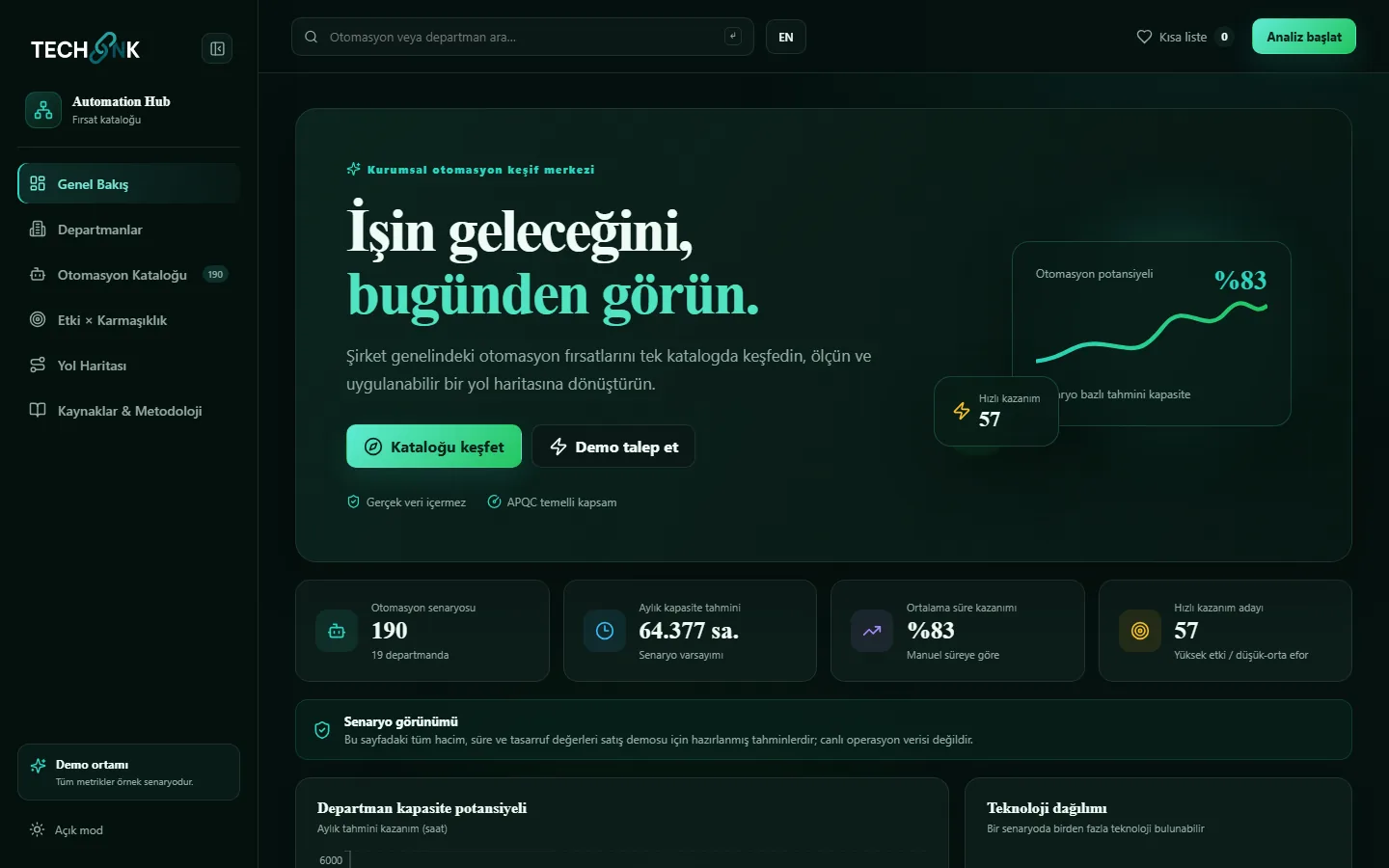
Automation Hub gathers automation opportunities from every department in a shared process language, calculates each one's capacity gain, effort and risk, and leads you to an evidence-based investment plan.
- 190+Ready-made automation scenarios
- 19Business areas and departments
- 13APQC process categories
Key features
Discover, measure and turn company-wide automation opportunities into an actionable roadmap.
A shared process language
13 APQC top-level categories open into the 19 business areas your teams use every day, so each department sees opportunities in its own words.
Searchable opportunity catalogue
Filter opportunities by department, technology (AI, RPA, OCR, API, process mining), impact, complexity and duration, then shortlist them.
Impact × complexity analysis
A portfolio matrix where bubble size shows the monthly capacity gain separates quick wins from strategic investments.
Phased roadmap
Opportunities fall into 0–90 day, 3–6 month and 6–12 month phases automatically, with duration and gain visible for every step.
Transparent calculation model
Capacity gain comes from manual time, post-automation time and monthly volume, and every assumption is visible to everyone.
Turkish / English, light and dark themes
A bilingual interface that reads well everywhere, from board presentations to department workshops.
See the product up close
Screenshots come from a demo environment populated with sample data.
Four steps from set-up to results
Scope
We map your processes to the APQC framework and define your departments and systems in the catalogue.
Discover
We validate real flows, variants and bottlenecks with event data and task observation.
Prioritise
We score impact, complexity, risk and capacity together and move quick wins into the first phase.
Measure
We compare the baseline with the KPI after the pilot and feed the gain back into the roadmap.
Use cases
Executives and the transformation office
Decide where the automation budget goes using measurable capacity and impact data.
Process excellence and PMO teams
Run department workshops on a single catalogue, shortlist opportunities and split them into phases.
Department managers
See and propose the repetitive work in your area together with its estimated time saving.
IT and automation centres of excellence
Plan capacity knowing up front which opportunity needs RPA, APIs, OCR or AI.
Systems it works with
- APQC Process Classification Framework
- Microsoft Power Automate Process Mining
- SAP Signavio
- RPA
- OCR
- AI / NLP
- API integration
- Excel / CSV import
Good to know
Our other products
Let's build your automation roadmap together
Start with a discovery workshop where we fill Automation Hub with your own departments.